Higher response rates
Tapping a button in-chat beats opening a browser tab — more customers finish the rating.
 Official WhatsApp Business API
 Meta Tech Partner
Customer feedback
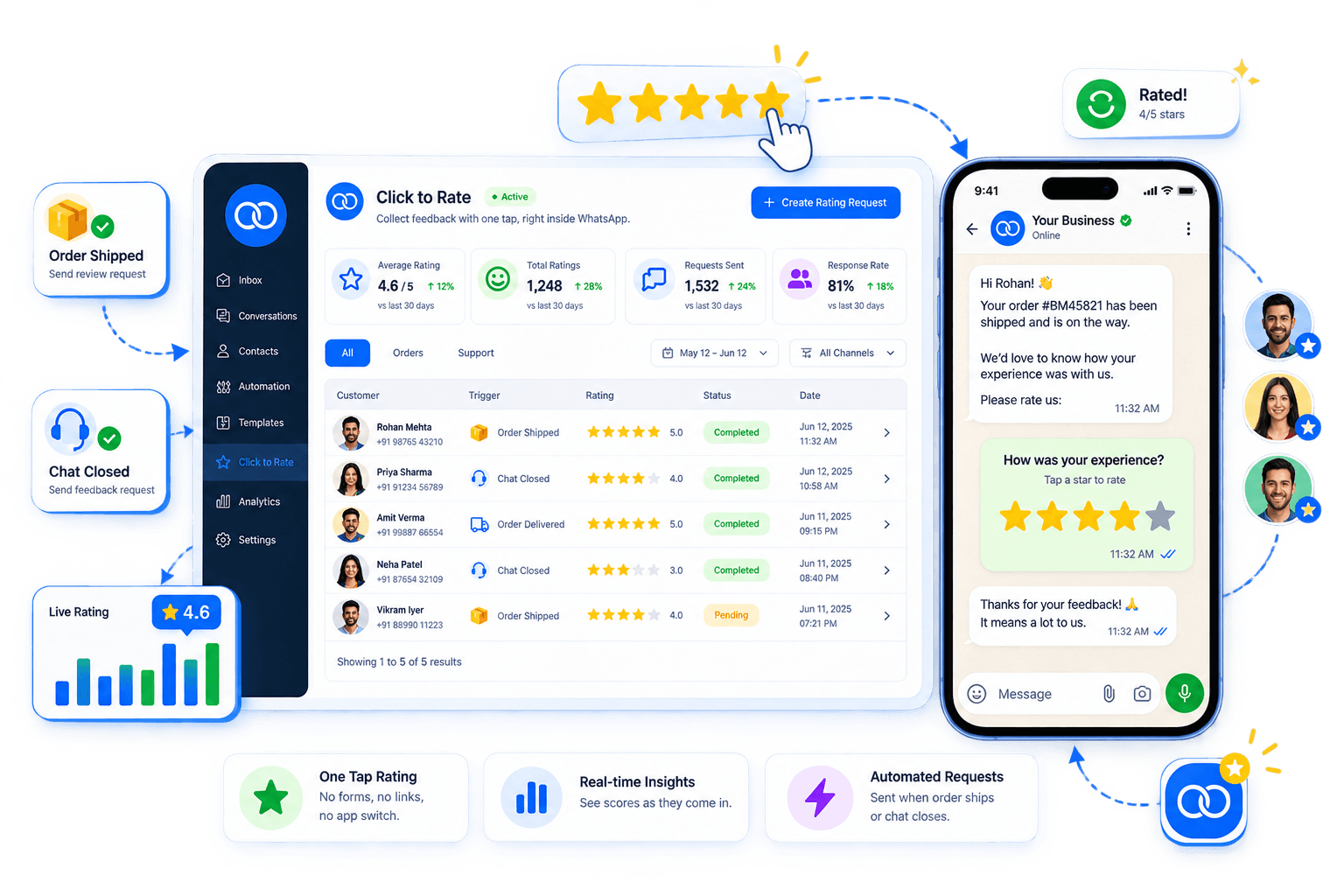
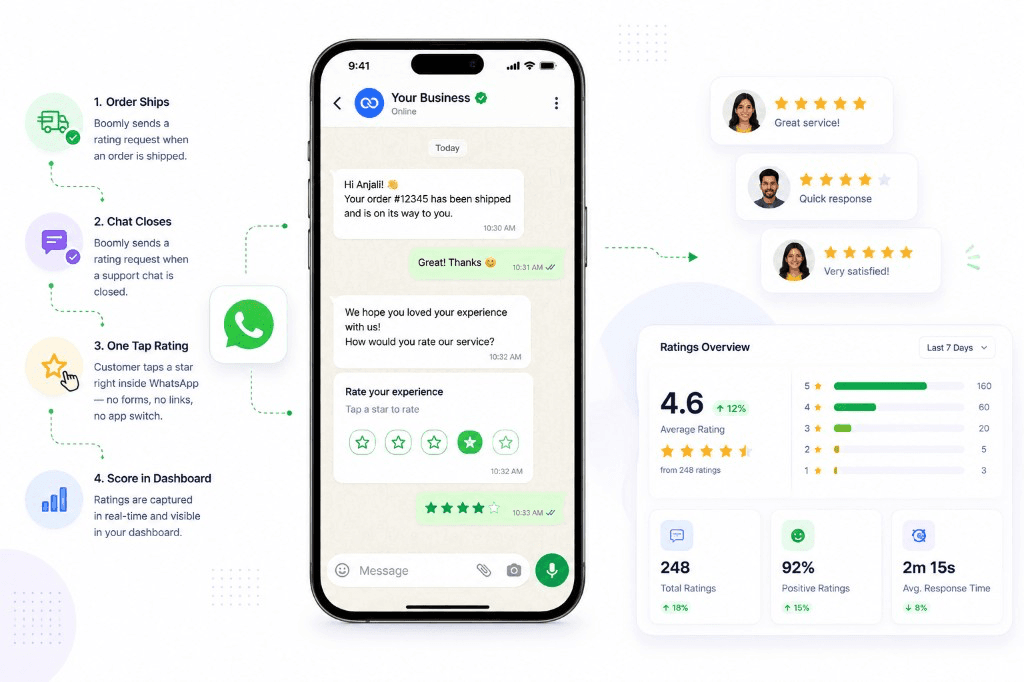
When an order ships or a support chat closes, Boomly sends a short message with rating buttons. The customer taps a star — no forms, no links, no app switch — and you see the score in your dashboard.














How it works
Click to Rate is not a separate survey tool. It is a WhatsApp quick-reply flow that fires automatically after the moment you choose — delivery, resolution, or checkout.
01
After order delivered, ticket marked resolved, or a flow ends — you decide when to ask.
02
Customer gets a friendly message with tappable options — e.g. ⭐ 1–5 or Great / OK / Poor.
03
One click inside WhatsApp counts as their rating. No typing, no login, no broken survey links.
04
Responses land on the contact record so support and ops can spot trends and follow up on low scores.
What it is
Most businesses email a Google Form or paste a link customers ignore. Click to Rate keeps everything in the thread they already use — the same way they reply to delivery updates.
Why teams use it
Tapping a button in-chat beats opening a browser tab — more customers finish the rating.
Send the ask when the experience is fresh — right after delivery or when an agent closes the ticket.
Each score stays on the customer’s WhatsApp thread and profile, not a anonymous spreadsheet row.
Route 1–2 star replies to a manager or trigger a recovery message before they churn silently.
See which agents or shifts get the best scores and where coaching is needed.
Track averages over time without exporting chat logs or manual tally sheets.
Pair ratings with automations: thank happy customers, offer help on low scores, or tag promoters for a referral campaign — all from the same Boomly workspace.
Use cases
Any business that delivers a service or product over WhatsApp can use one-tap ratings instead of chasing reviews on email.
Ask “How was your order?” once the package is marked delivered — catch issues before a bad review goes public.
When an agent resolves a ticket, send a quick CSAT so you know if the answer actually helped.
After an appointment reminder flow completes, collect a star rating while the visit is still top of mind.
Click to rate sends a one-tap star or emoji rating inside WhatsApp after a purchase or support conversation. Customers tap a button instead of filling a long survey — you get structured feedback in Boomly.
Marketing. Sales. Support. Automation. AI. Everything you need to automate conversations and grow on Instagram, WhatsApp & Messenger — in one powerful suite.

Powered by Official WhatsApp Business API