Instant payment confirmation on WhatsApp
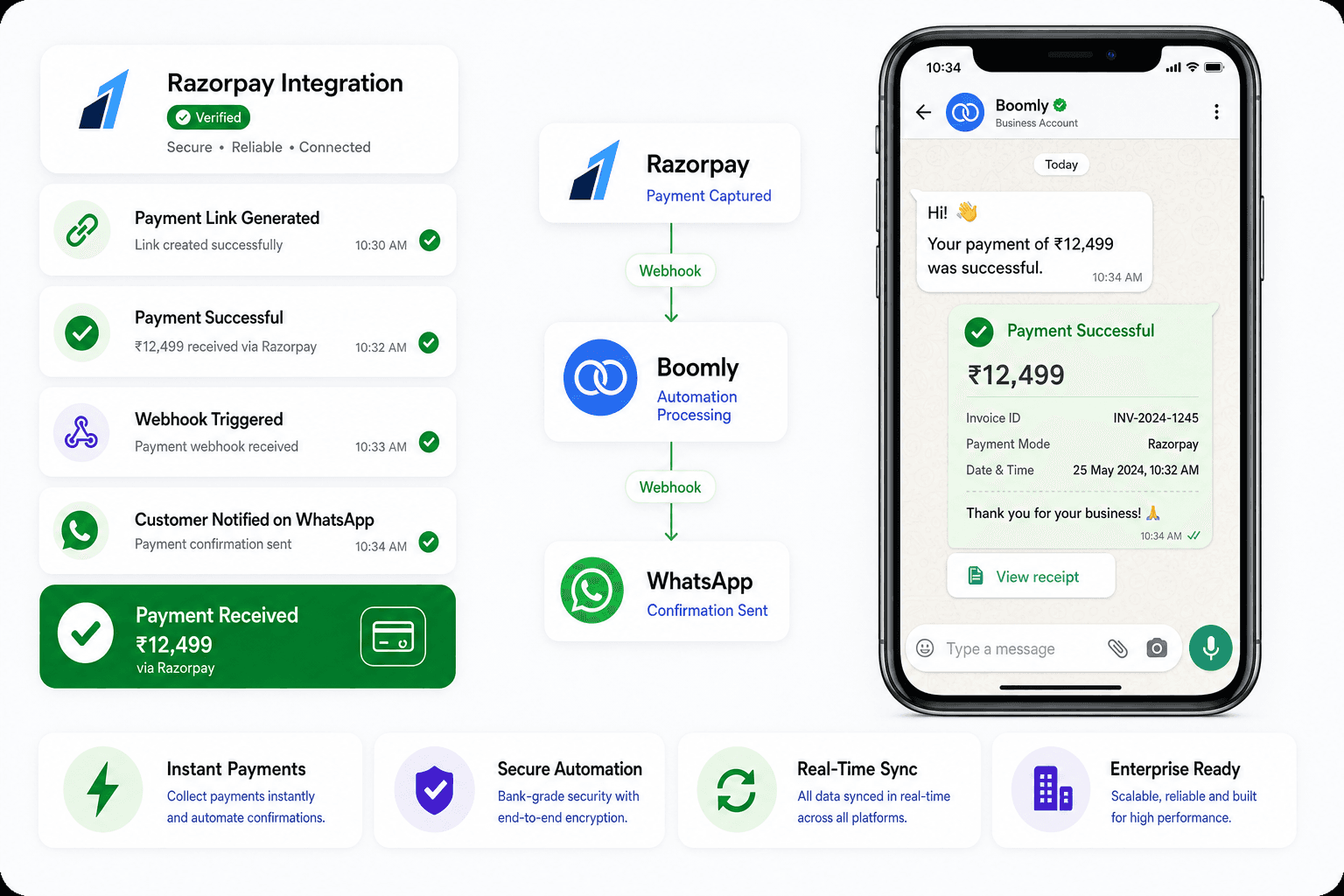
Notify customers in real time when a payment succeeds, fails, or is still pending — no manual follow-ups.
 Official WhatsApp Business API
 Meta Tech Partner
Payments on WhatsApp
Connect Razorpay with Boomly to automate payment collection, confirmations, and order updates — all inside WhatsApp. Make your payment workflows smarter, faster, and friction-free.



















Why Boomly + Razorpay
Razorpay handles the money. Boomly handles the conversation — confirmations, reminders, and receipts land where your customers already are.
Notify customers in real time when a payment succeeds, fails, or is still pending — no manual follow-ups.
Stop sending receipts by hand. Boomly triggers the right WhatsApp message the moment Razorpay fires an event.
Boost trust and transparency by delivering payment updates directly in WhatsApp — not buried in email.
Setup guide
Go live in four steps — log in to Razorpay, generate API keys, paste them into Boomly, and start automating payment messages on WhatsApp.
Step 1
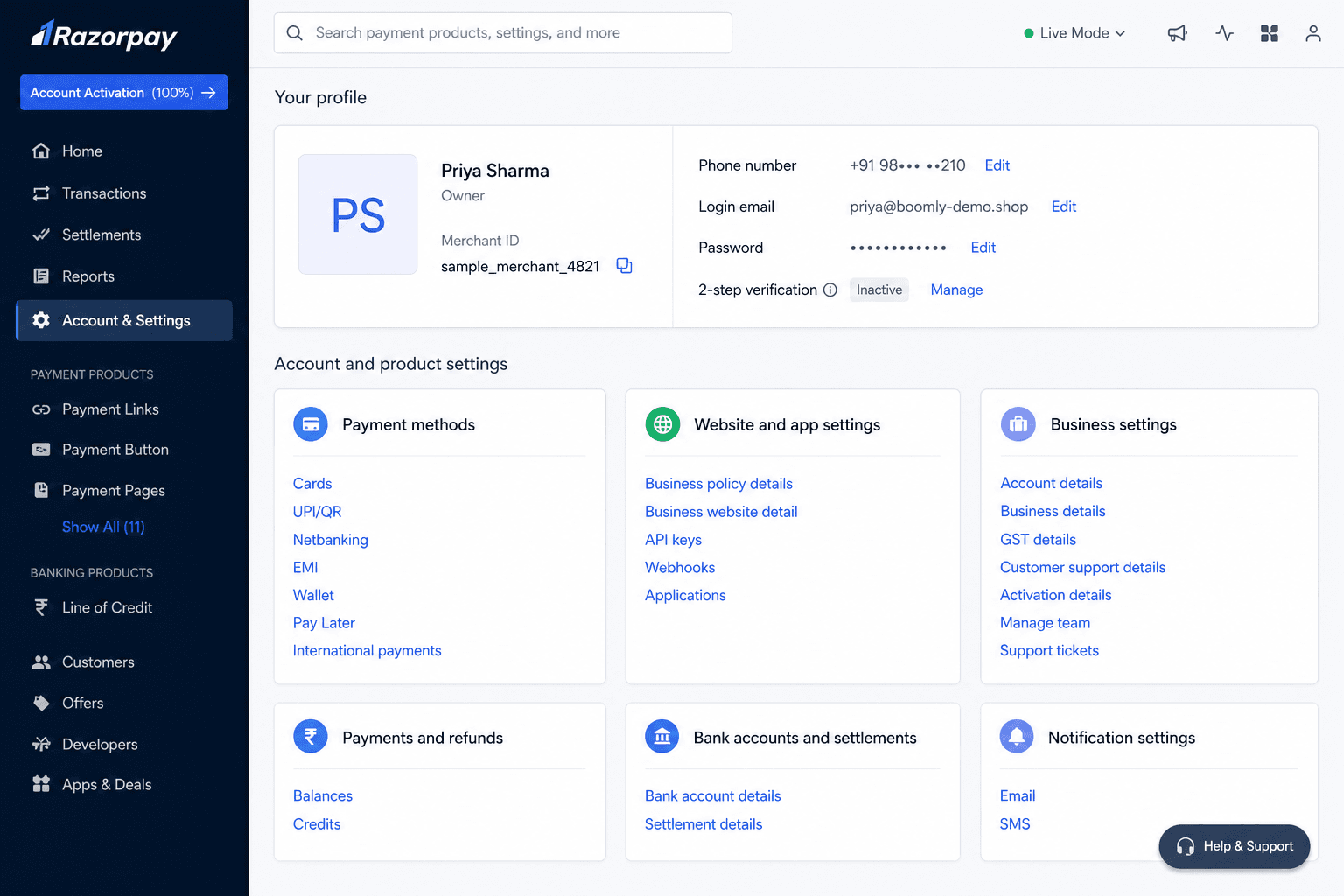
Open dashboard.razorpay.com and sign in with your business account. From the sidebar, open Account & Settings to view your profile and merchant details.
Step 2
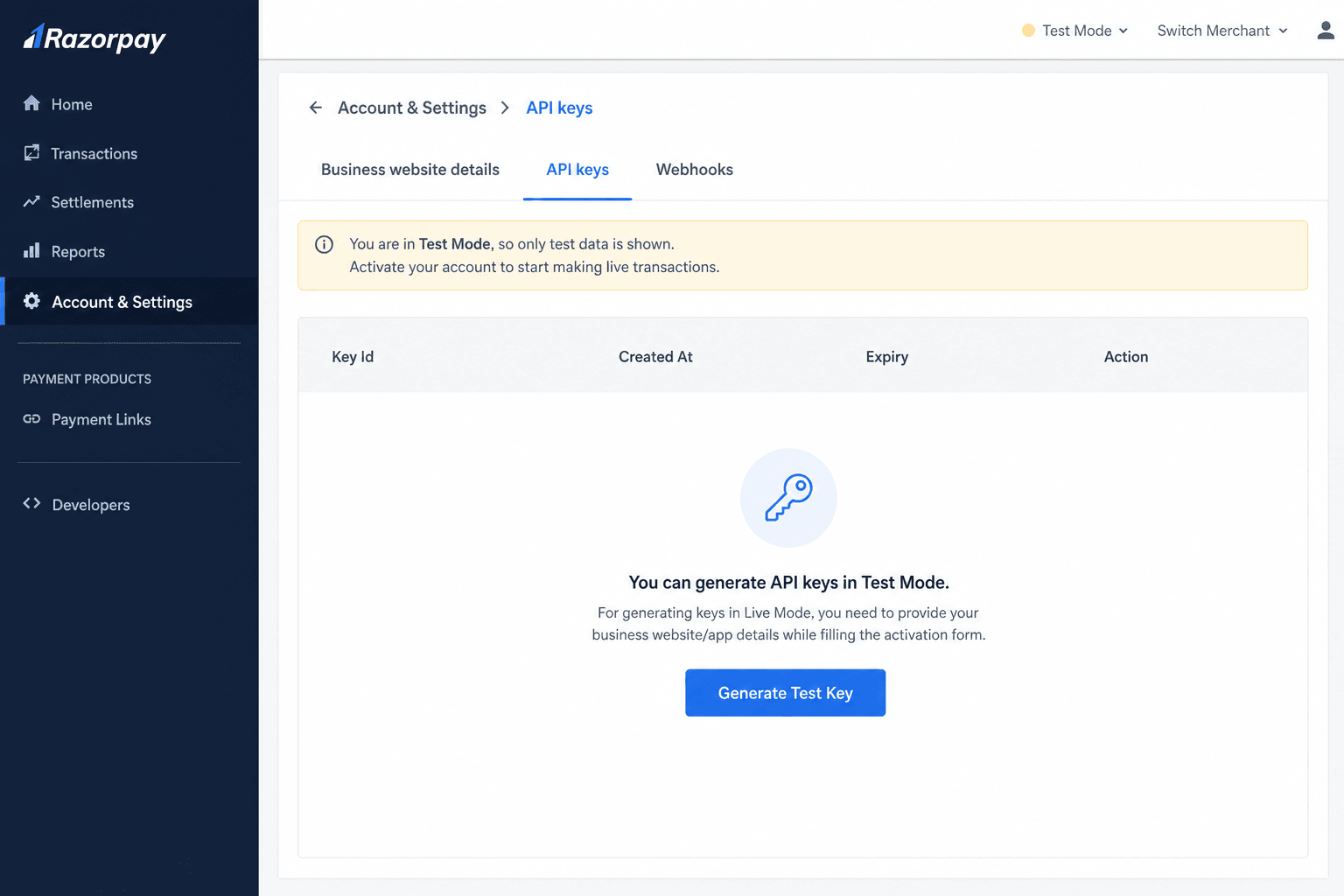
Under Website and app settings, open API keys. You will see your test and live key tabs — start with Test Mode to generate keys safely.
Step 3
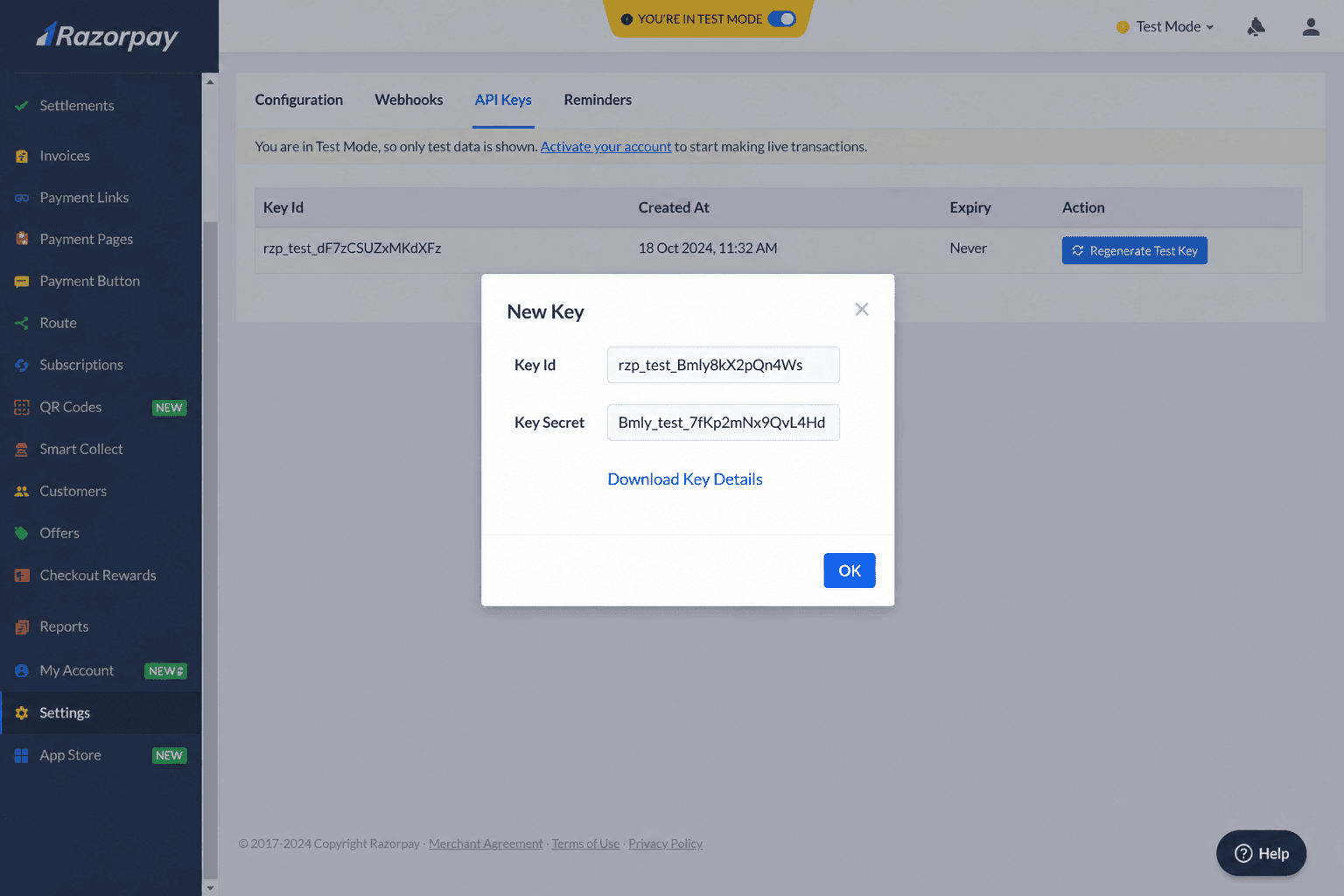
Click Generate Test Key. Razorpay shows a Key Id and Key Secret once — copy both immediately or download the key details before closing the dialog.
Step 4
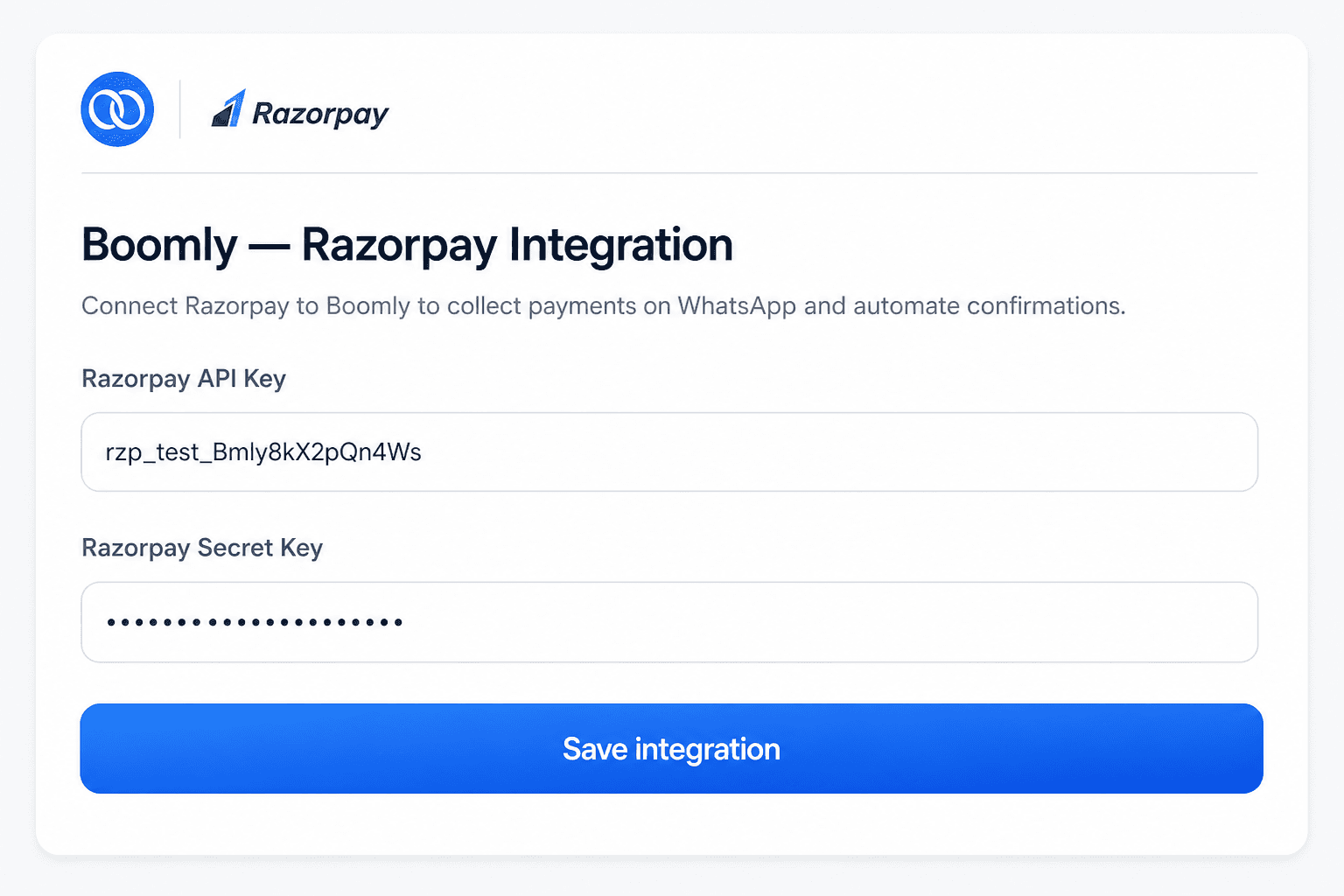
In Boomly, go to Dashboard → Integrations → Razorpay. Paste your Razorpay API Key and Secret Key, then save. Boomly verifies the connection and starts listening for payment events.
Event automations
Map payment lifecycle events to the right WhatsApp message — confirmations, reminders, and receipts on autopilot.
Payment created
Send payment link in chat
Payment captured
Payment confirmation + receipt
Payment failed
Failed payment reminder
Order paid
Receipt and invoice message
Refund processed
Refund confirmation
Subscription charged
Renewal confirmation
Subscription due
Subscription payment reminder
Engage customers instantly after every payment — no manual work needed. Connect Razorpay, turn on your flows, and let Boomly handle the rest.
Log in to Razorpay, open Account & Settings → API keys, and generate a Test or Live key pair. Paste the Key Id and Secret into Boomly under Dashboard → Integrations → Razorpay, then map payment events to WhatsApp automations.
Marketing. Sales. Support. Automation. AI. Everything you need to automate conversations and grow on Instagram, WhatsApp & Messenger — in one powerful suite.

Powered by Official WhatsApp Business API