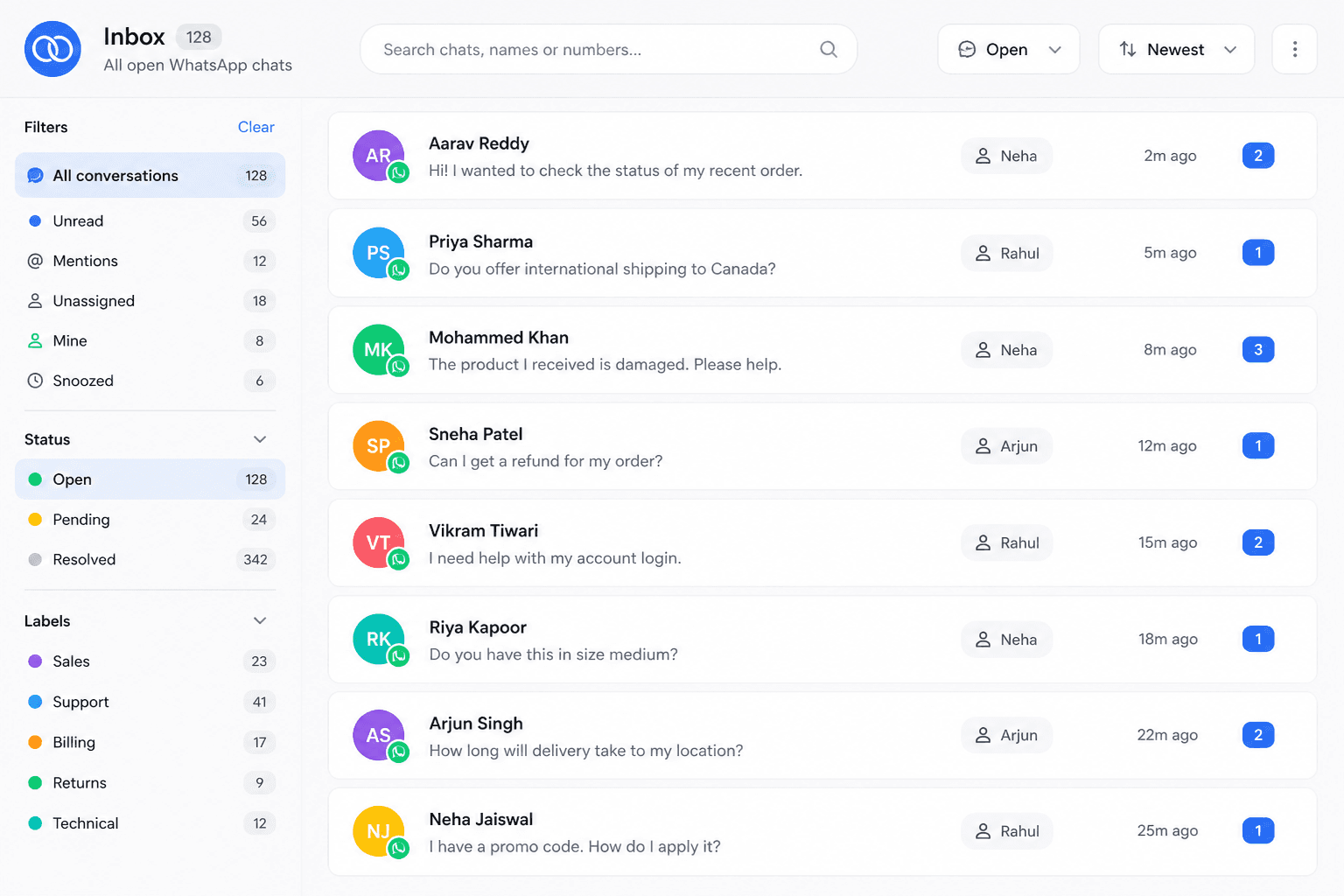
Unified thread list
Every open WhatsApp chat for your connected numbers — unread badges, last message preview, and sort by recent activity or priority tag.
 Official WhatsApp Business API
 Meta Tech Partner
Shared inbox
Reply to dozens of conversations without switching phones. Filter, assign, and search across all WhatsApp chats connected to your Boomly number — built for teams that outgrew a single phone.
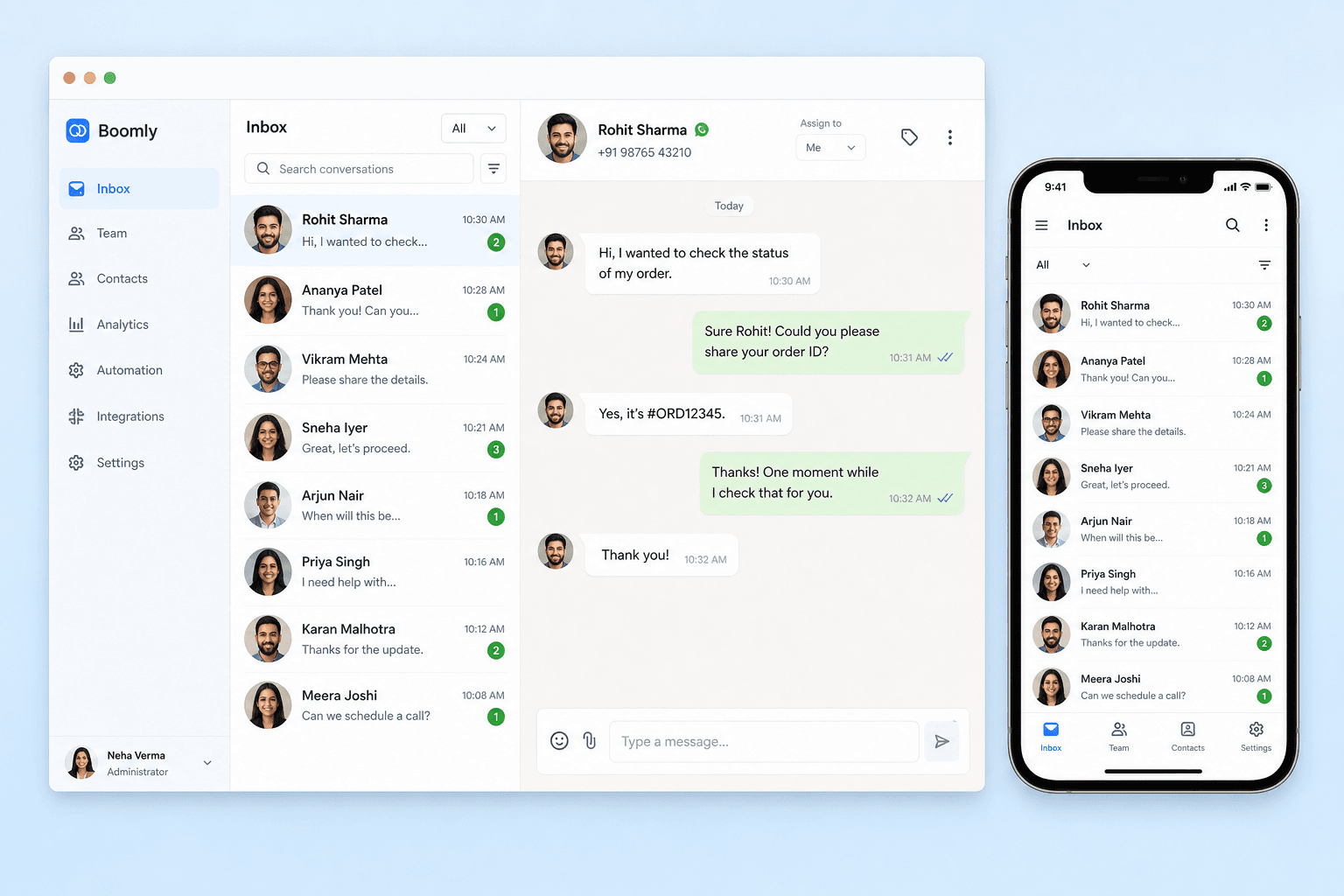




















Queue
Unread counts, last message preview, and contact tags — sorted the way your team actually works.
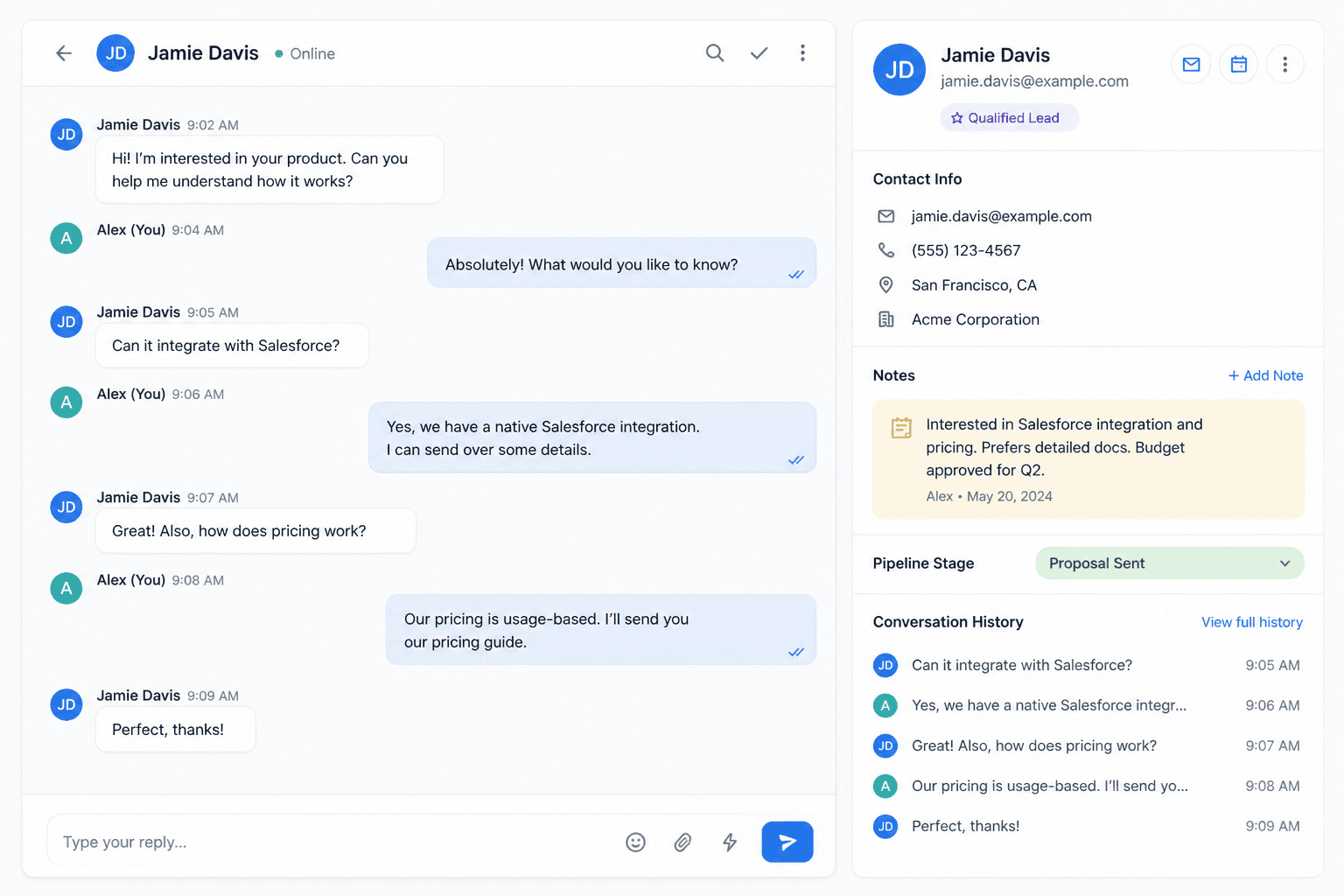
Context
Scroll the full thread before you reply. Notes and pipeline stage sit beside the conversation — not in a side spreadsheet.
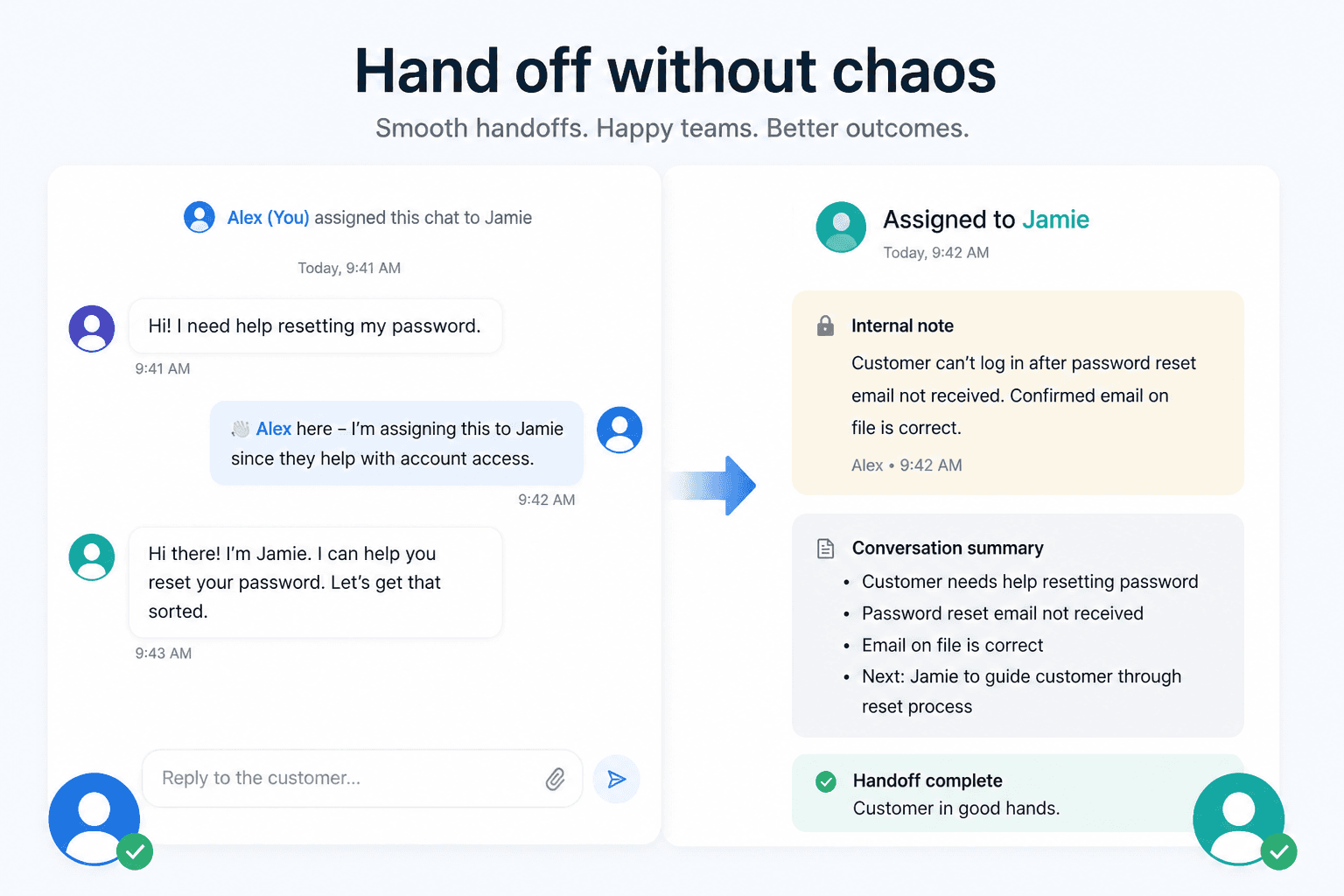
Collaborate
Transfer a hot lead to sales with internal notes. @mention a teammate for policy questions. Everyone sees the same thread — no screenshot forwarding in group chats.
Inbox capabilities
Every open WhatsApp chat for your connected numbers — unread badges, last message preview, and sort by recent activity or priority tag.
Slice by assignee, campaign tag, unread state, or pipeline stage so agents focus on the queue that matches their role.
Order history, form answers, and pipeline stage sit beside the thread — agents reply with full context, not guesswork.
Find any contact or scroll months of message history from the web. Tags and notes make VIP and campaign threads easy to spot.
Automations send the first reply; the same thread continues when an agent takes over — customers never start over.
Connect additional WhatsApp Business lines as you scale — each number feeds the same workspace with separate queues if you need them.
By industry
Any business that gets more WhatsApp messages than one person can handle — from D2C support desks to clinic front desks and agency client lines.
Order queries, exchanges, and repeat buyers — one inbox for the whole support desk with tags for COD, VIP, and campaign source.
Appointment changes, report requests, and billing questions routed to the right front-desk agent without personal phones.
Manage client WhatsApp lines with separate queues and assignees — one login, many brands, zero cross-client bleed.
Admission enquiries, class schedules, and counsellor callbacks from hundreds of parents — filtered by course interest tag.
Connect your Business number, invite agents, and reply from every thread without switching phones. Tags, assignment, and full history stay in one workspace.
Yes. Boomly shows all conversations for your connected WhatsApp Business number in a shared inbox. Agents reply from the web — not from personal phones.
Marketing. Sales. Support. Automation. AI. Everything you need to automate conversations and grow on Instagram, WhatsApp & Messenger — in one powerful suite.

Powered by Official WhatsApp Business API