Availability

Team Status Controls

Mark agents available, busy, or offline — route new WhatsApp chats only to people who can actually reply. SLAs and load balancing you can trust.


Boomly team status controls — agent availability and fair chat routing

Trusted by real businesses already growing on Boomly

INDskillsup e-Learning
GardenNest
ViralWagon
Braim Ayurveda
SriTech
Stitch Partner
The Purpose Paath
Aukus
My JEE Mentor
AccountSavvy
INDskillsup e-Learning
GardenNest
ViralWagon
Braim Ayurveda
SriTech
Stitch Partner
The Purpose Paath
Aukus
My JEE Mentor
AccountSavvy
uParcel
Fingo
Hera Hair Beauty
Cavora Clothing & Fashion
Little Steps Baby Care
NovaCare
RightHire
BharatLearn
Afija
Lafangeh Clothing
uParcel
Fingo
Hera Hair Beauty
Cavora Clothing & Fashion
Little Steps Baby Care
NovaCare
RightHire
BharatLearn
Afija
Lafangeh Clothing

Available, busy, and offline

Available

Ready for new chats

Agents online receive round-robin and campaign assignments first.
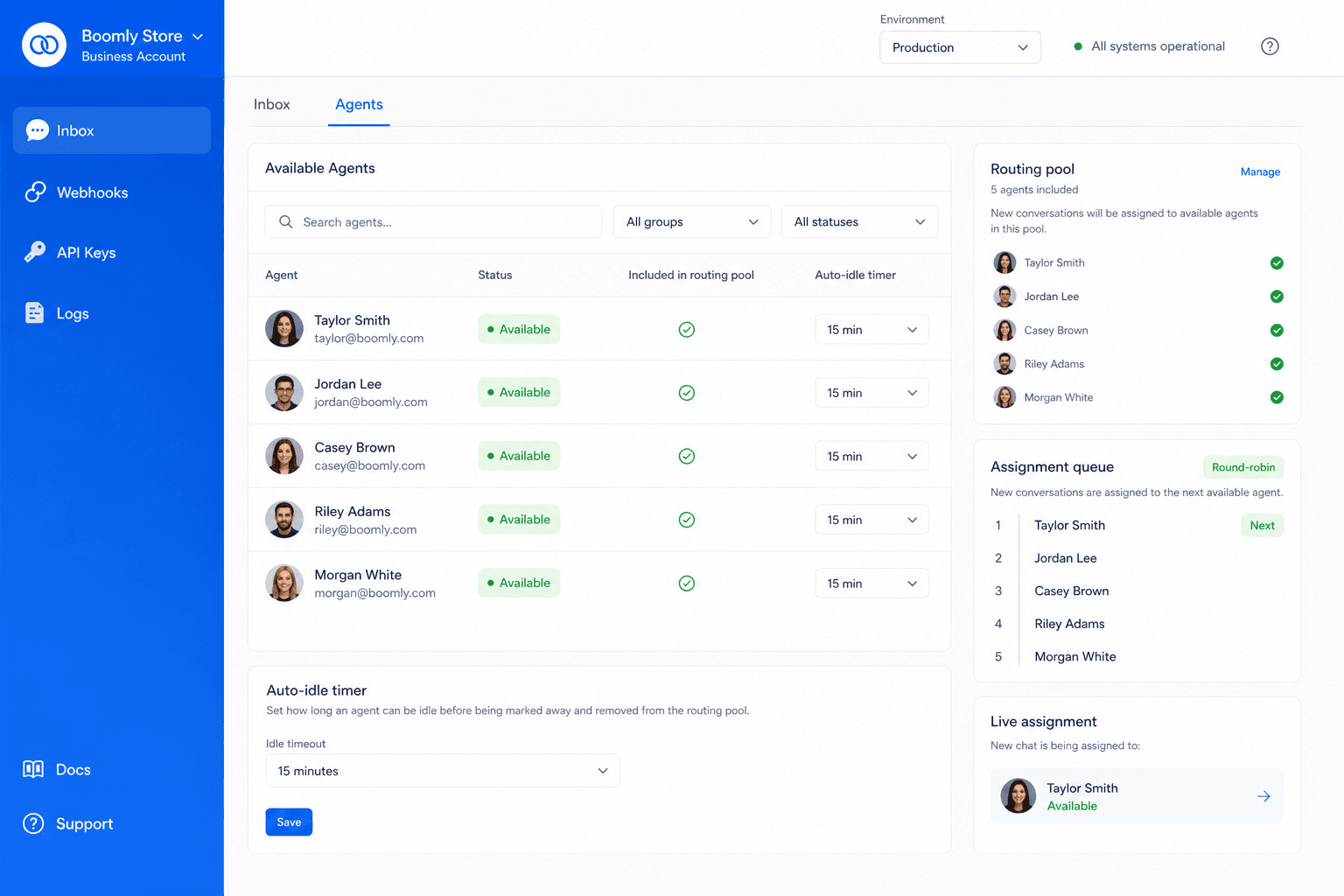
  • Green status in team view
  • Included in routing pools
  • Auto idle after inactivity
Available agents in Boomly team view — green status and included in routing pools

Busy

Finish current threads first

Stay in existing conversations but skip new auto-assignments until cleared.
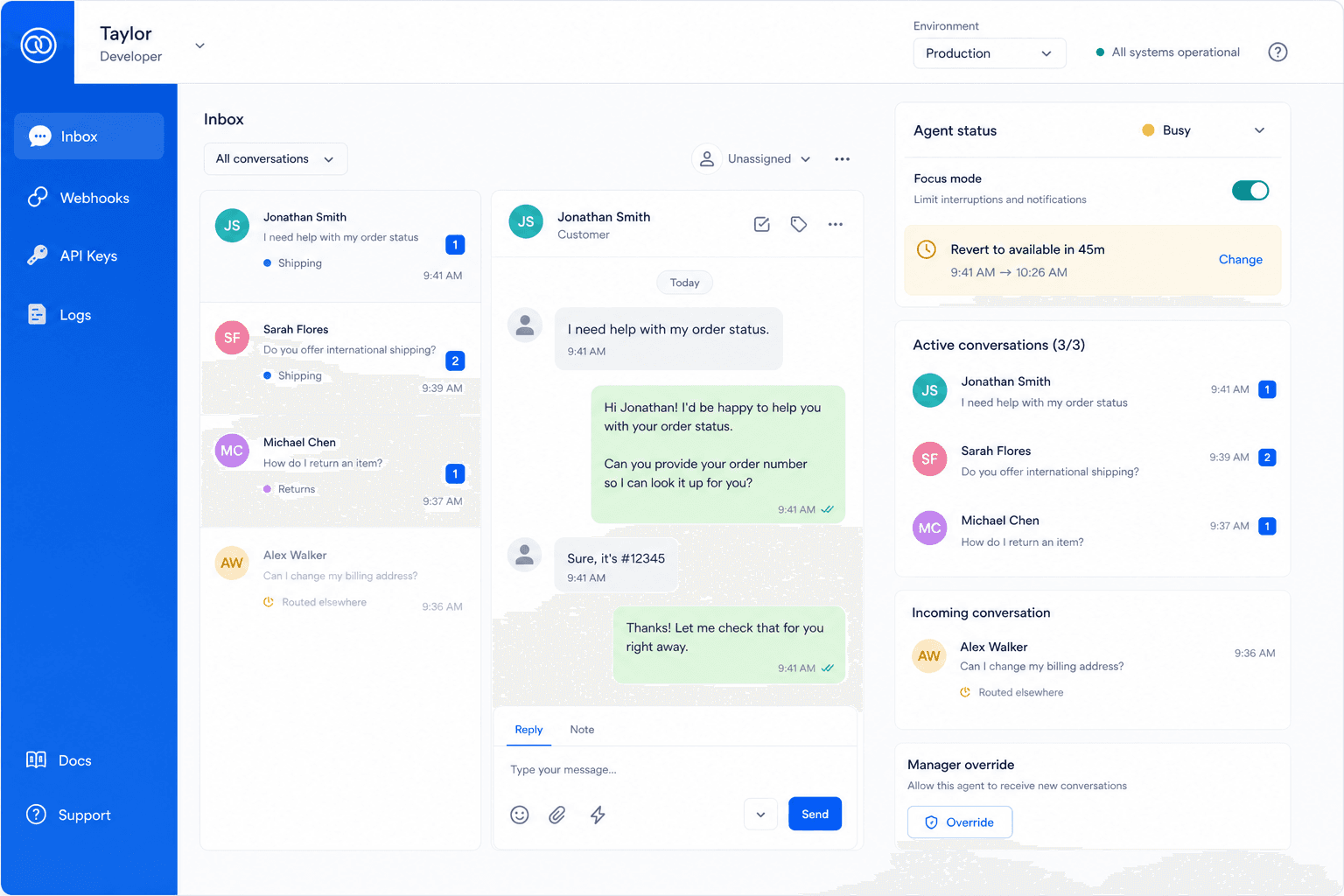
  • Focus mode for deep work
  • Manager override
  • Timer to revert to available
Busy agent focus mode — new chats skip while current threads stay assigned

Offline

After hours & breaks

Away bots and backup queues handle inbound; no phantom “online” reps.
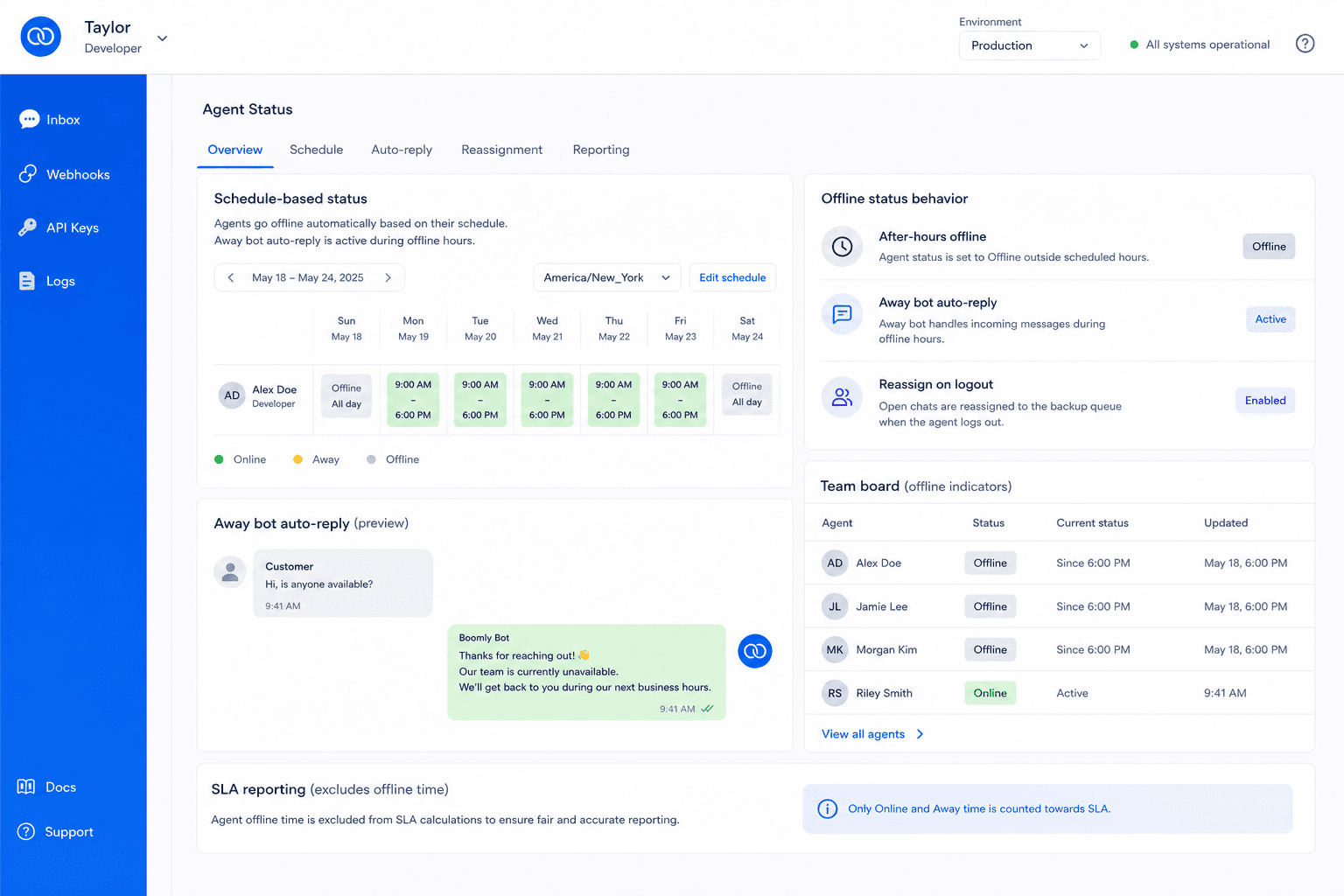
  • Schedule-based status
  • Reassign open chats on logout
  • Accurate SLA reporting
Offline schedule and away bot — chats reassign when agents log out

Ops clarity

Fair load, honest availability

Live team board

See who is up, who is drowning, and rebalance in one click.

Routing respects status

Ads and keyword routes skip busy/offline agents automatically.

Reporting you trust

Response-time metrics only count when someone was actually available.

By industry

Teams that rely on honest availability

When routing respects who can actually reply, SLAs improve and customers get faster answers.

Support & BPO

Shift-based availability with after-hours away bots and queue backup.

Sales teams

Skip reps in focus mode during campaigns; round-robin only hits available closers.

Healthcare clinics

Route enquiries to on-duty staff while after-hours uses automated intake.

Retail & services

Store hours, breaks, and peak traffic — status matches when someone can reply.

Seamless integrations for enhanced efficiency

Connect Boomly to the apps your team already uses — streamline workflows, keep data in sync, and run WhatsApp automation without switching tabs.


WhatsApp API
20+ web integrations
Cost effective
Customer support
Google Gemini
Claude
Google Sheets
Shopify
Meta Lead Ads
Google Gemini
Claude
Google Sheets
Shopify
Meta Lead Ads
OpenAI
Google Drive
Razorpay
WooCommerce
OpenAI
Google Drive
Razorpay
WooCommerce

Route chats to agents who can reply. Set up team status.

Available, busy, and offline states keep assignments honest — round-robin skips reps in focus mode and after-hours traffic hits your away bot.

FAQ

Frequently asked questions

Agents set availability — available, busy, offline — so Boomly only assigns new WhatsApp chats to reps who can respond.

Ready to put replies on autopilot?

Marketing. Sales. Support. Automation. AI. Everything you need to automate conversations and grow on Instagram, WhatsApp & Messenger — in one powerful suite.

Meta Tech Provider

Powered by Official WhatsApp Business API