No copy-paste fulfilment
Line items, qty, and customer details arrive formatted — not buried in a screenshot thread.
 Official WhatsApp Business API
 Meta Tech Partner
WhatsApp commerce
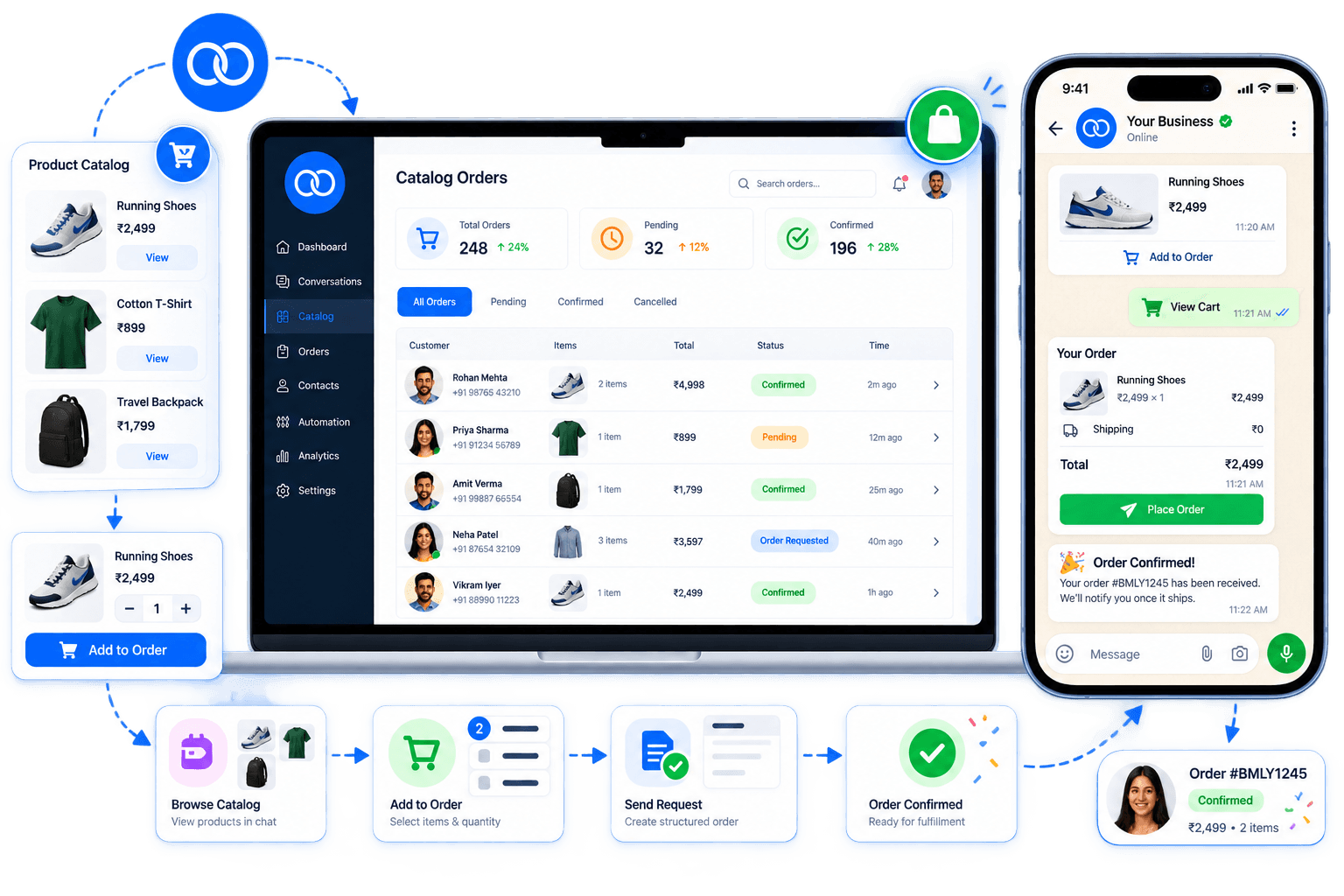
When a customer picks items from your WhatsApp catalog, Boomly captures the selection, builds a structured order request, and confirms everything in chat — no DMs lost in screenshots or manual spreadsheets.




















How it works
Customers already shop from your WhatsApp catalog. Catalog Orders turns that intent into a clean order record your team can fulfil.
01
Customer taps products in your WhatsApp catalog and sends “I’d like to order this” — Boomly reads what they picked.
02
Name, phone, address, payment method, and line items land in one order card — ready for your team to review.
03
Send an order summary back in WhatsApp. Customer confirms with one reply and gets an order ID in the same thread.
What it is
A catalog alone shows products. Catalog Orders connects that view to fulfilment — so “interested” becomes “order #ORD-3456 confirmed” without leaving WhatsApp.
Why teams use it
Line items, qty, and customer details arrive formatted — not buried in a screenshot thread.
Send a summary card in chat so the customer approves totals and delivery details first.
See today’s orders, pending vs confirmed counts, and recent activity without exporting chats.
Built for WhatsApp’s product catalog — the same surface customers already use to browse.
Capture address, phone, and payment preference in the order request flow.
Handle more catalog orders without hiring someone to manually log every message.
Pair catalog orders with automations — send confirmation messages, tag high-value buyers, or hand off to your shipping flow when status changes.
Use cases
Any business that lists products in WhatsApp and fulfils from chat — without a full e-commerce site checkout.
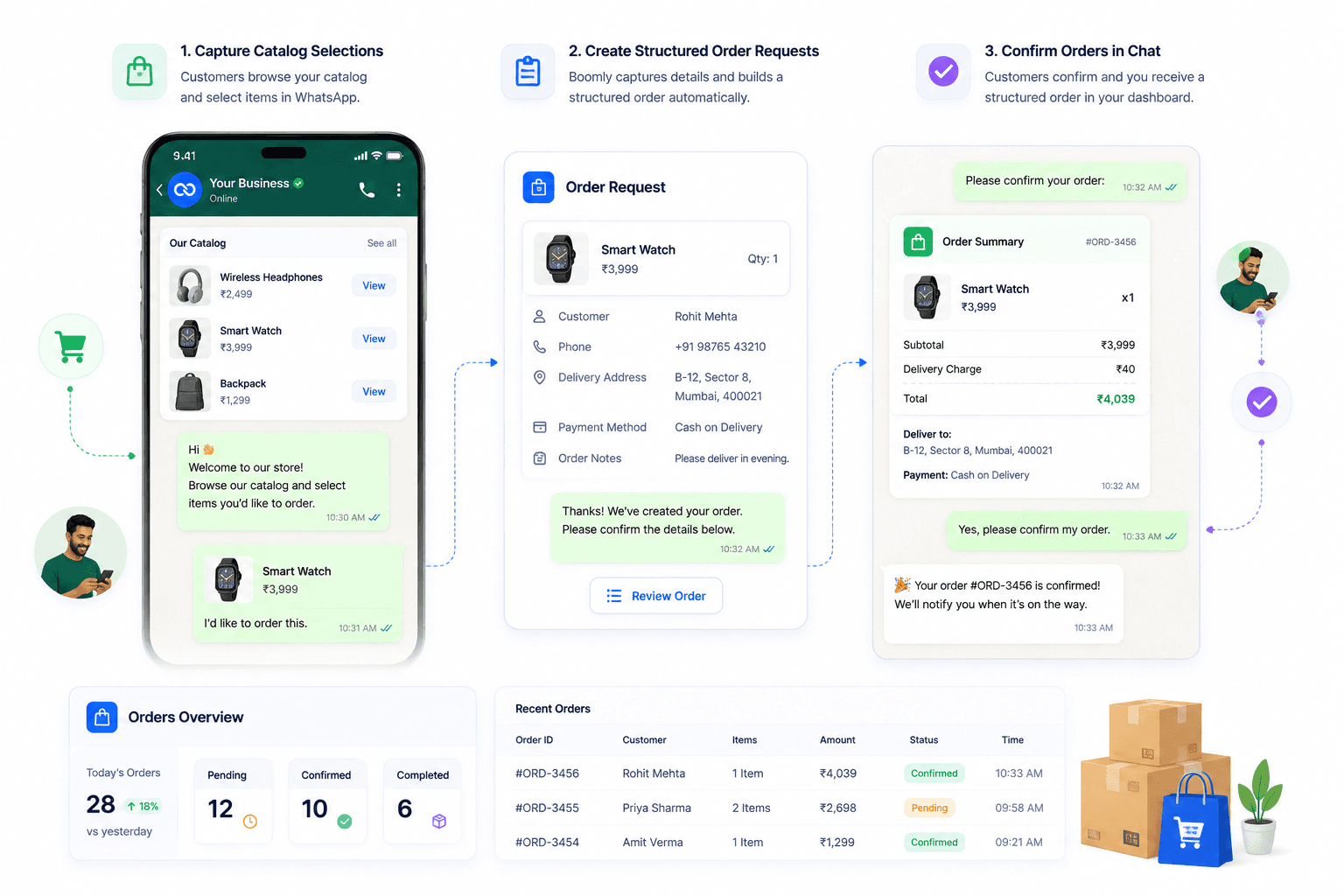
Show your catalog in WhatsApp, take orders from repeat buyers, and track pending fulfilment in Boomly.
01
Headphones, watches, accessories — customers pick from catalog, you confirm price and COD in one thread.
02
Collect delivery address and order notes when someone orders décor, gifts, or bulk items from chat.
03
Catalog Orders turns catalog product picks into structured order requests in Boomly — line items, customer details, and status — instead of unstructured “I want this” messages you copy into a spreadsheet.
Marketing. Sales. Support. Automation. AI. Everything you need to automate conversations and grow on Instagram, WhatsApp & Messenger — in one powerful suite.

Powered by Official WhatsApp Business API